Gemini AI に自然なウェディング撮影背景へ変更してもらうための聞き方
14.5.2026

Gemini AI に自然なウェディング撮影背景へ変更してもらうための聞き方
Gemini AI に写真の背景を自然なウェディング撮影シーンへ変更してもらいたいなら、重要なのはモデル名だけではありません。被写体、ウェディングの舞台、光、そして最終的な写真の質感をどれだけ明確に伝えるかが大事です。この記事では、より強いプロンプトの作り方、なぜウェディング背景の置き換えが不自然になりやすいのか、そして一般的なAIチャットより Create Wedding Photos のような専用ワークフローが実用的な場面を説明します。
このキーワードの検索意図は、AI wedding photo のプロダクトとかなり相性が良いです。ユーザーが求めているのは、ただの背景差し替えではなく、次のように見える結果です。
- 花嫁ポートレート
- pre-wedding editorial
- ロマンチックなカップル撮影
- 本物らしい結婚写真の記念画像
つまり狙うべきは単なる background change ではなく、自然な wedding photoshoot scene です。
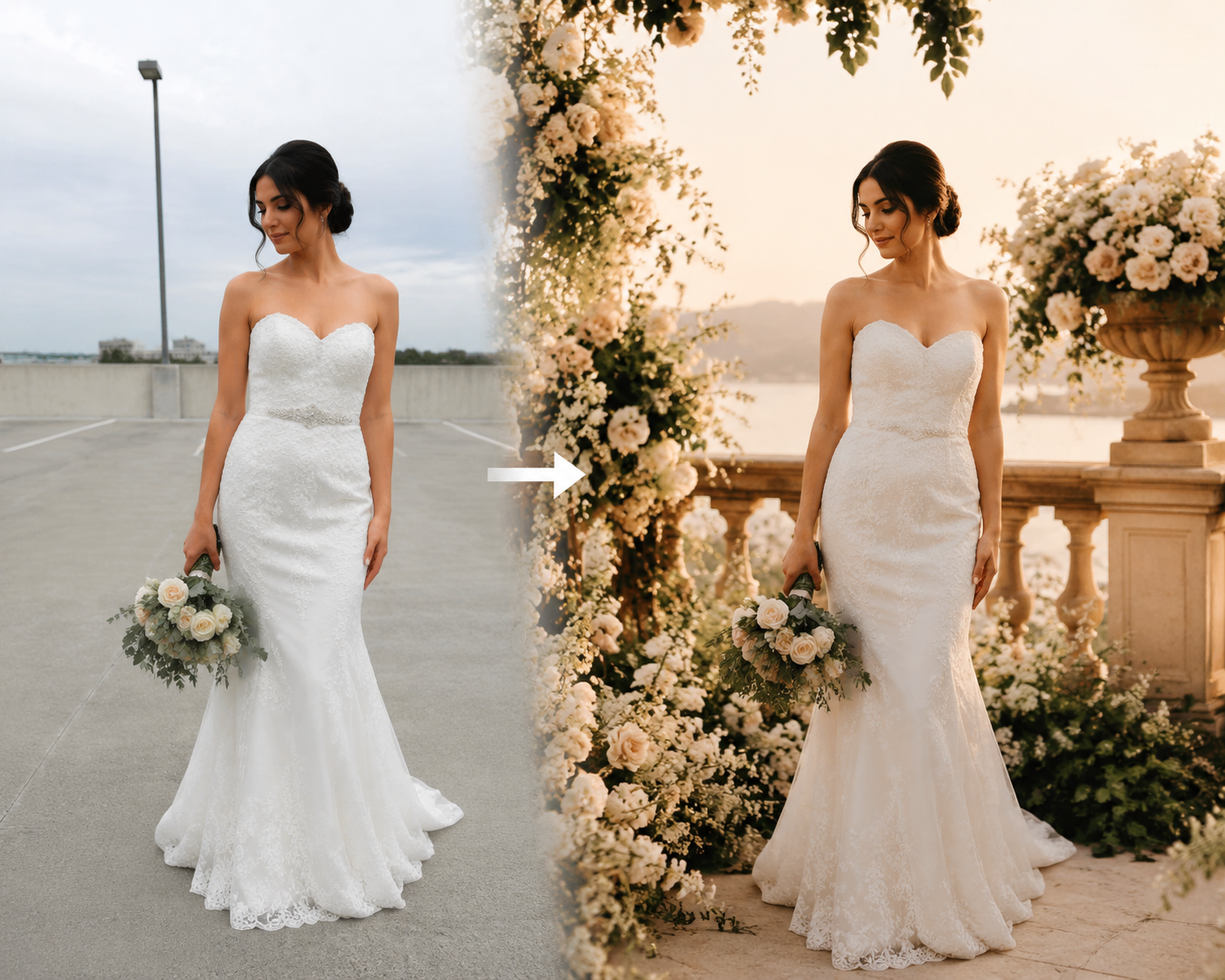
なぜ自然なウェディング背景の変更は難しいのか
多くの人は「切り抜いて背景を差し替えるだけ」と考えますが、実際はそれよりずっと難しいです。
自然なウェディング撮影のように見せるには、背景だけではなく画像全体の一体感が必要です。
必要になる要素は次の通りです。
- believable な bridal / wedding styling
- 光の向きの一致
- 自然な色温度
- 肌色の整合性
- ポーズや構図に合う背景
- 「貼り付け」ではなく「撮影された」ように見える仕上がり
ここが弱いと、Wedding background と書いても結果が不自然になります。
Gemini AI に伝えるべき 4 つの要素
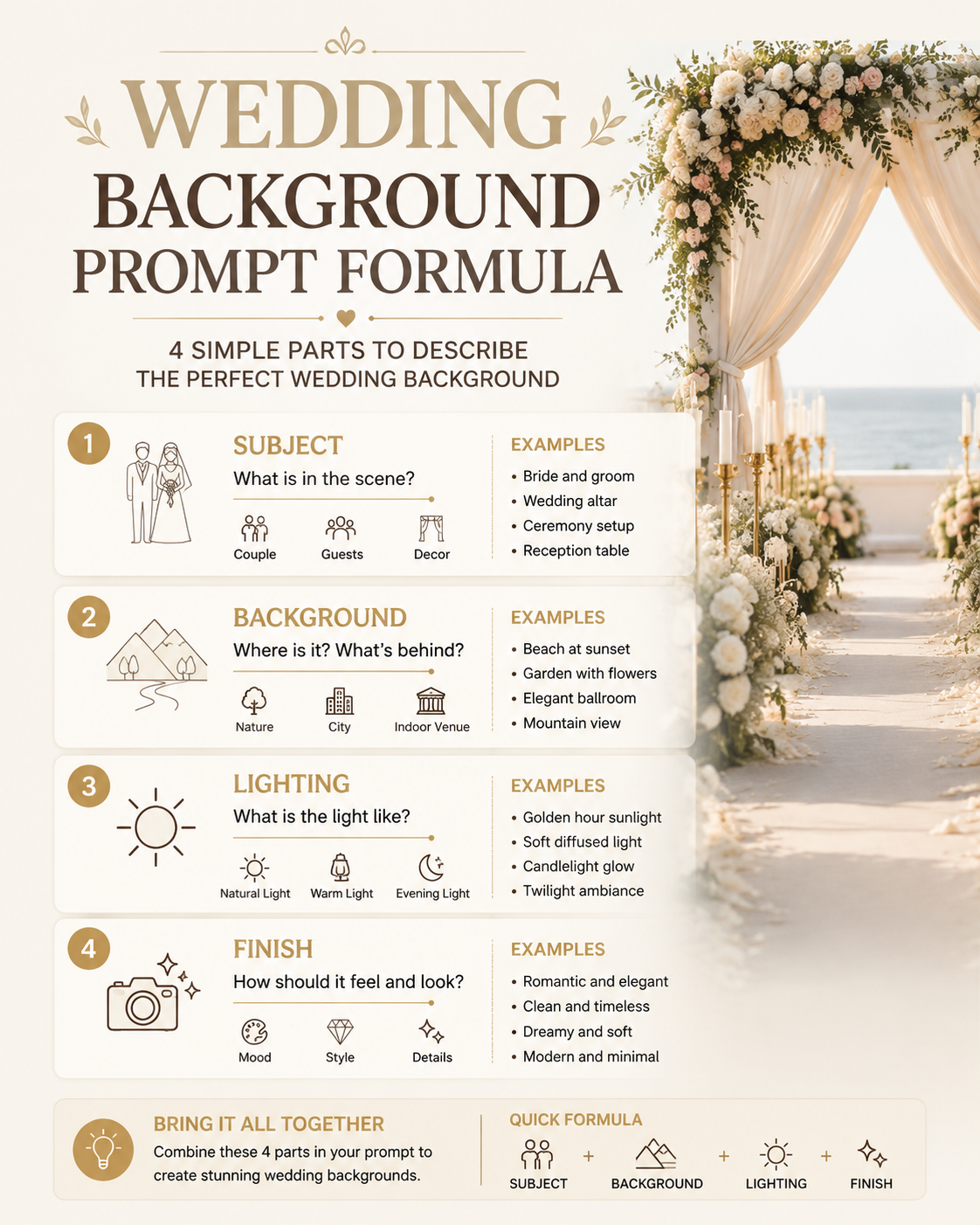
より良い結果を得たいなら、プロンプトは次の4点を明確に含めるべきです。
1. 被写体
誰が recognizable なまま残るべきかを明示します。
例:
- preserve the face and identity of the original person
- keep the subject recognizable and realistic
- maintain natural skin tone and facial proportions
多くのユーザーは「自分に見える」最終画像を欲しいので、これは非常に重要です。
2. ウェディング背景
単に “wedding background” と書くのではなく、具体的なシーンを書きます。
- romantic garden wedding photoshoot
- luxury indoor bridal studio
- beach wedding at golden sunset
- elegant European terrace
- soft floral ceremony backdrop
背景が具体的になるほど、全体の整合性が上がりやすくなります。
3. 光
不自然な仕上がりになる原因の多くは光です。
使いやすい表現:
- soft natural wedding light
- golden hour bridal lighting
- elegant diffused editorial light
- warm romantic indoor window light
光を指定すると、人物と新しい背景をより自然に合わせやすくなります。
4. 仕上がりの質感
最終画像の写真スタイルも指定しましょう。
- realistic wedding photography
- premium bridal editorial
- natural skin texture
- elegant luxury wedding portrait
- magazine-quality wedding photoshoot
ここを省くと、結果が generic になったり、人工っぽくなったりしやすいです。
より良い prompt formula
曖昧な 1 行プロンプトより、構造化されたプロンプトの方が安定します。
Prompt formula:
- 元の人物の identity を維持する
- wedding setting を説明する
- lighting を説明する
- final photography finish を説明する
- realism と facial consistency を明示する
Example structure:
Preserve the original woman's face and identity. Change the background into a romantic garden wedding photoshoot with soft floral arrangements, elegant bridal atmosphere, warm natural light, realistic skin texture, premium editorial wedding photography, natural depth of field, and a believable bridal portrait finish.
そのまま使える prompt
すぐ試せるものが欲しい人向けに、そのまま使える prompt を置いておきます。
Preserve the original person's face, identity, and natural skin tone.
Transform the photo into a realistic luxury wedding photoshoot scene
with an elegant bridal atmosphere, soft natural lighting, refined
wedding styling, and a believable professional photography finish.

Use a romantic floral or architectural wedding background.
Keep the subject sharply recognizable.
Match the new light direction to the face and body.
Make the final image look like a premium real wedding portrait
instead of a generic AI edit.
この prompt が良い理由は、次の役割を同時に果たしているからです。
- identity preservation
- wedding-specific setting
- realistic lighting
- premium finish
もしもっと直接的なワークフローが欲しいなら、Create Wedding Photos を開いて、この prompt をそのまま貼るのが一番簡単です。
Gemini chat より専用 wedding tool が向いている場面
Gemini は prompt の下書きや一般的な画像指示には便利です。ただ、結婚写真のような用途では専用プロダクトの方が安定しやすいです。
その理由は、専用ワークフローの方が次の点に強いからです。
- wedding photography intent に沿った出力
- bridal / couple imagery の一貫性
- generic ではない wedding-style result
- 非技術ユーザーでも prompt から結果までが速い
この用途で本当に大事なのは「Gemini でできるか」より、「どの方法が早く believable な wedding photo を出せるか」です。
その点で Create Wedding Photos は自然な導線になります。
よくある失敗
結果がまだ不自然なら、原因はだいたい次のどれかです。
- 元画像の品質が低い
- プロンプトが “wedding background” だけで具体性がない
- ライティング指定がない
- identity preservation を強調していない
- スタイル指定が広すぎる、または矛盾している
多くの問題は、生成前の prompt 設計でかなり改善できます。
相性の良い元画像
特に相性が良いのは次のような写真です。
- はっきりしたポートレート
- 正面または少し斜めの selfie
- 顔に十分な光がある
- 隠れた部分が少ない
- 肩や上半身がある程度見えている
元画像がクリアなほど、自然な wedding result にしやすくなります。
最終結論
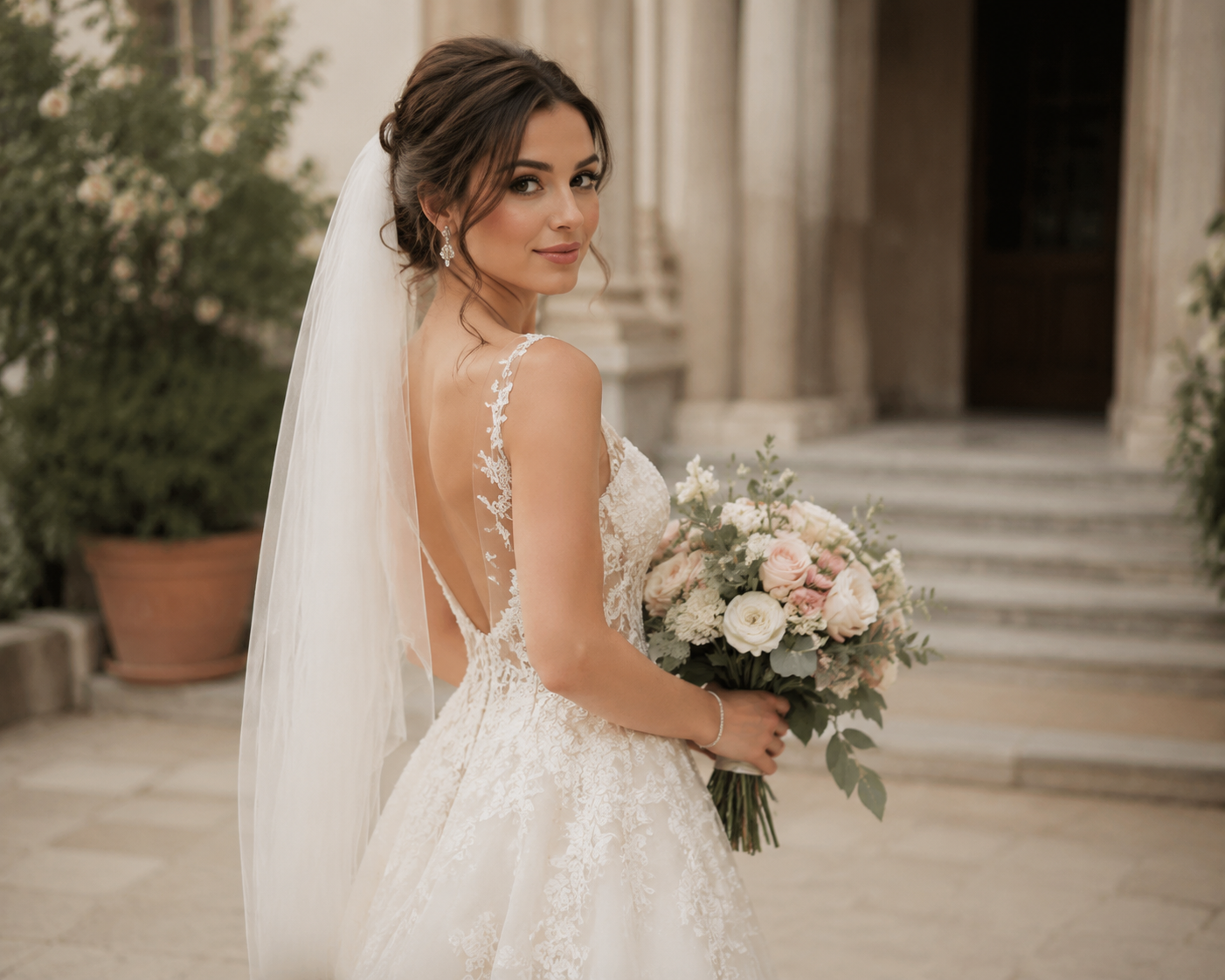
Gemini AI に写真背景を自然な wedding photoshoot scene へ変えてもらいたいなら、次の4点を明確にした prompt が最も効果的です。
- 誰を recognizable に保つか
- どんな wedding scene を作るか
- どんな light にするか
- どんな photography finish にするか
これが、ただの background edit と believable な AI wedding portrait の差になります。
もし chat で毎回組み立てるより速く進めたいなら、Create Wedding Photos にこの prompt を貼って使うのが最も実用的です。